
Navigation

>> Main Links
>> Creations/Media
>> Fun
>> External
|
Diary Data (2026-09-06_organise_php_json.txt)
Hey, iDestyKK here. Today I am going to write about some upgrades to my website's structure going forward that will make it much, much easier to organise in the long run. Neighbours and FanlistingsNeighbours are simply sites that link to each other. You can see on my Neighbours page who links back to me. Fanlistings are simply fan sites of a particular subject. You link to their page and register to list your site on there. They approve you and then put your page on there as a listed "fan". You can see what fanlistings I am in on my Fanlistings page. Notice though. Both of those pages (and all of the pages on my site) are PHP files, not HTML. What gives? Well, turns out, there is some power behind this choice. JSON files
JSON is a way to store data in a structured way. You can make arrays,
objects, etc. You can store strings, numbers, and more. The flexibility
is nice. They are in the format of
JSON Example
In this example, there are 2 objects. The first one is red and the second one is blue. You can infer the rest of the information from the code with that pattern. This kind of format is the recipe for success with small websites in storing data. You can load it in through PHP or JavaScript and generate stuff on your website with it rather than manually copying and pasting HTML (otherwise known as "hard-coding"). Applying this to PHPNeighbours
Let's take my neighbours page as an example. This is powered by a secret
JSON file located at
PHP Code
I load in the JSON file as an array. Then I go through each entry and add
it to a
If I wanted to draw all neighbours from this list, it is as simple as
running a
PHP Code
Obviously, my site expands this, and introduces category tabs you can click to sort and organise through. You can take a look at the source to see how that was done. But here is the end result: 
Looks nice, right? Some other categories I can add are "RIP" (for dead sites) and "Friends" for people I am friends with who also just happen to have a website. FanlistingsIn the case of Fanlistings, currently 2 fanlistings are in multiple categories. Here is what I mean: 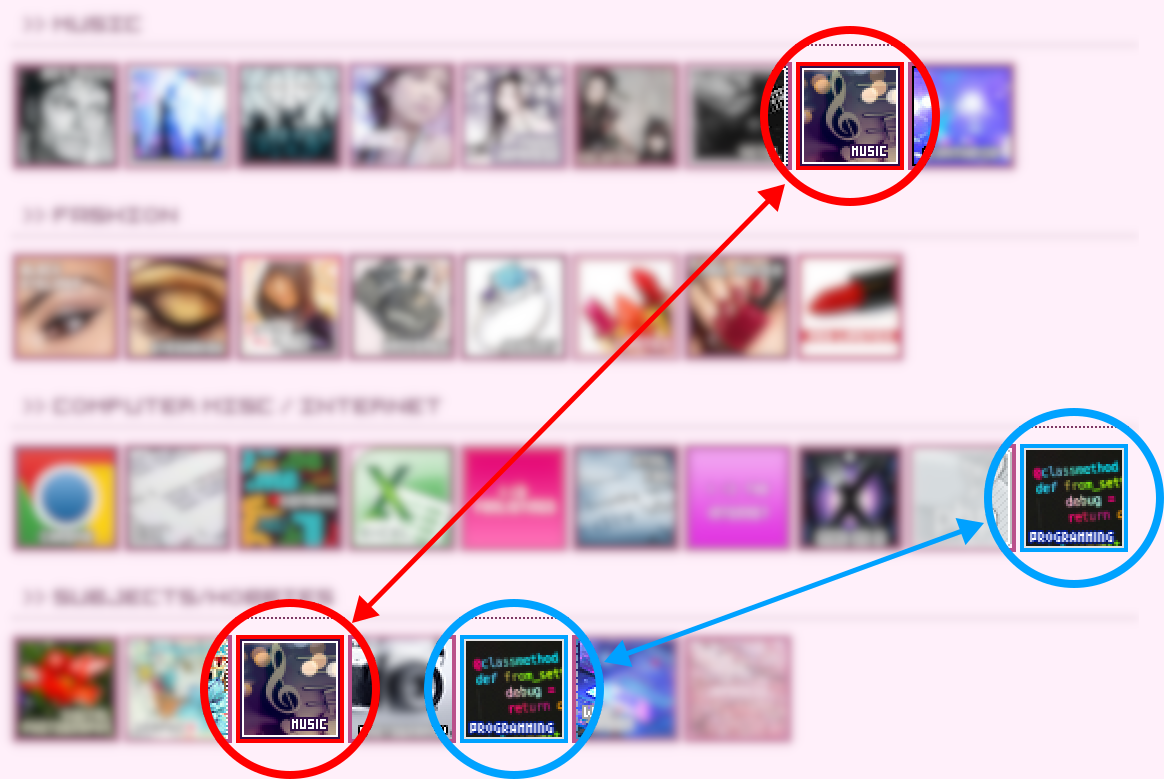
The formula is the same. Categories. Add in through the same kind of loop shown up above. And then populate all of the fields automatically. "But Clara, why not just hard-code it?"Ultimately, it comes down to personal preference. Some people do not have the option of PHP and are forced to either use JavaScript or hard-code their site. But in under 20 lines of code, I am able to automatically categorise, sort, and organise all of my neighbouring sites and fanlistings. And it is done on the server's end so search engines that do not support JavaScript-based/dynamic pages can still properly load the links. I think that's worth it. ConclusionI hope you learned something about JSON and PHP. I wanted to put in an example for JavaScript but this is a diary entry, not a formal blog post. So I wanted to keep things very simple. I am happy that I can expand my site without having to modify the page source at all though. |
An iDestyKK Production. Copyright 2016-2026, All Rights Reserved.